
7.8 KiB
| title | date | tags | draft | ||
|---|---|---|---|---|---|
| Snipping a subtitled GIF from a video file | 2026-01-16T10:25:28Z |
|
false |
This post contains large GIF files, apologies.
A passing comment resulted in me falling down a bit of a rabbit hole recently. I couldn’t find a GIF of one particular line from 1999’s The Mummy. The line is “apparently he had a very good time” and it was perfect for the situation at the time… but it was nowhere to be found.
Fast forward two days and I had hacked together a script that would accept a legally back up video file and a string, and clip you the GIF. There are, of course, caveats to that… It only works on standard subtitles, not the fancy graphical ones that would require the addition of an OCR to extract1 - though most of the other issues I have worked through and got something as close to complete as I’m prepared to make it.
You can find the source on GitHub.
How it works
The script checks for subtitles first as an external file alongside the video, and then by checking the video and extracting them manually if required.
I had written code that would use OpenSubtitles to try and find any missing subtitles, but it is limited to 5 requests per IP per day, and when the retrieved subtitles are more often than not completely out of sync for the purposes of this project that made them quite useless. In order to use your legally backed up physical media with this project I would advise making sure you extract the original subtitles with your video files - preferably as SRT files.
If the script has to extract the subtitles, it looks for the first remotely English appearing stream it can. Sorry about that for any other language users, feel free to edit the script to meet your needs, though.
Next, if we aren’t using the --include-surrounding-subtitles flag, we create a temporary copy of the subtitles file with just the line we’re trying to GIF.
It was around this point I realised I was going to need to tune in the clipping of the GIF. By default it uses the time-frame the subtitle appears in the video, which was fine for some, but often resulted in slightly too short GIFs, or including cuts that felt jarring - so I added in the --context-before and --context-after variables which allows you to tweak the clip length of the GIF.
Once we know the section of video we want to output we make a trimmed down copy of the original video source before converting it to a GIF. Originally I wasn’t doing this step and trying to get the GIF right out of the full length video - at one point that resulted in the script using 40gb of RAM and taking a very, very long time…. So this was an obvious optimisation as it’s essentially free to trim the video to a specific length first.
Finally, the snippet is converted into a GIF using ffmpeg. Easy.
I did also add in the option to loop through the subtitles and extract every instance of a phrase from the video file if you so wish, but this doesn’t play well with the context adjustments so is a little bit pointless. If there is a common phrase you are trying to extract, I would advise looking for the surrounding dialogue and using that to dial in your GIF.
Example Usage and Output
The first example shows what happens if there are no external subtitles already existing, we are able to extract the subs from the video file.
Note that the context is also adjusted to line up with the scene, and we are including surrounding subtitles.
Script
$ video-subtitle-gif Hot\ Fuzz\ \(2007\).mkv "shortcut" --context-before 1.2 --context-after 3 --include-surrounding-subtitles --output-prefix  hotfuzz
🔍 No external subtitles found. Checking for embedded subtitles...
📺 Found 1 subtitle stream(s):
  📝 Stream 0: index=2, codec=ass, language=eng, title=
  ✅ Selected English subtitle stream 0 (codec: ass)
✅ Extracted embedded subtitles to: Hot Fuzz (2007).srt

✨ Found 1 matching subtitle(s):
  1. [00:30:00.890 - 00:30:02.200]: You never taken a shortcut before....

🎬 Generating GIFs...

🎬 Generating hotfuzz_1.gif...
  ⏱️  Time range: 00:29:59.690 - 00:30:05.200
  ✂️  Extracting clip...
  🎨 Converting to GIF...
  ✅ Created: hotfuzz_1.gif (4.24 MB)

🎉 Successfully created 1 GIF(s)!
Result
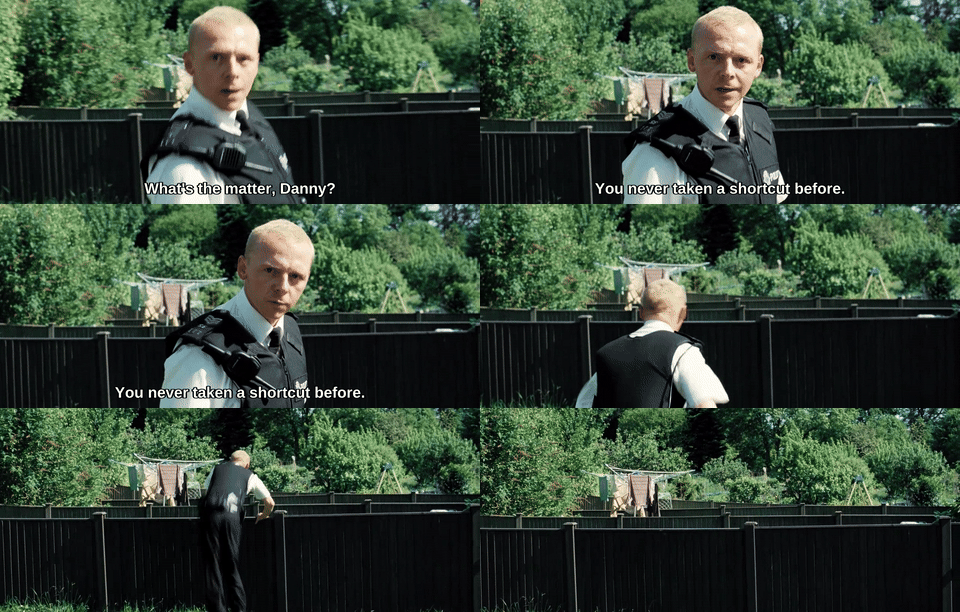
Hot Fuzz, Directed by Edgar Wright (Universal Pictures, 2007), DVD
An example of the SRT file already existing.
Script
$ video-subtitle-gif Hot\ Fuzz\ \(2007\).mkv "model village" --context-before 2 --context-after -0.25 --include-surrounding-subtitles --output-prefix  hotfuzz
✅ Found external subtitle: Hot Fuzz (2007).srt

✨ Found 1 matching subtitle(s):
  1. [00:40:57.980 - 00:40:59.860]: fuck off up the model village....

🎬 Generating GIFs...

🎬 Generating hotfuzz_1.gif...
  ⏱️  Time range: 00:40:55.980 - 00:40:59.610
  ✂️  Extracting clip...
  🎨 Converting to GIF...
  ✅ Created: hotfuzz_1.gif (1.66 MB)

🎉 Successfully created 1 GIF(s)!
Result
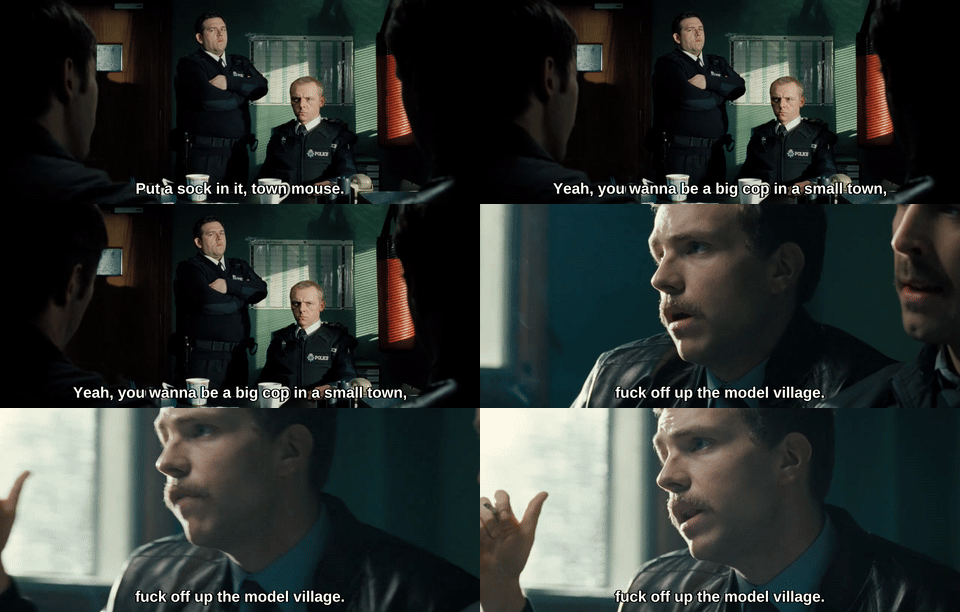
Hot Fuzz, Directed by Edgar Wright (Universal Pictures, 2007), DVD
Tweaks and Improvements
One of the obvious things here is that the outputted GIFs are relatively large files. Overall the output is more than good enough for my needs, and I already had the option for tweaking the output file width which gave some small control over the resulting file size. However, there were two major adjustments that I thought I could make to improve the file sizes.
FPS Tweaks
Beyond reducing the resolution the next obvious optimisation was to reduce the frame rate, so I added a flag in to tweak that, --fps. Tweaking it down to 5 provides half the file size at only a moderate drop in GIF quality. This obviously works better on scenes that don’t have a lot of movement in them as a panning shot can look quite jarring, see below examples at 10fps and 5fps.
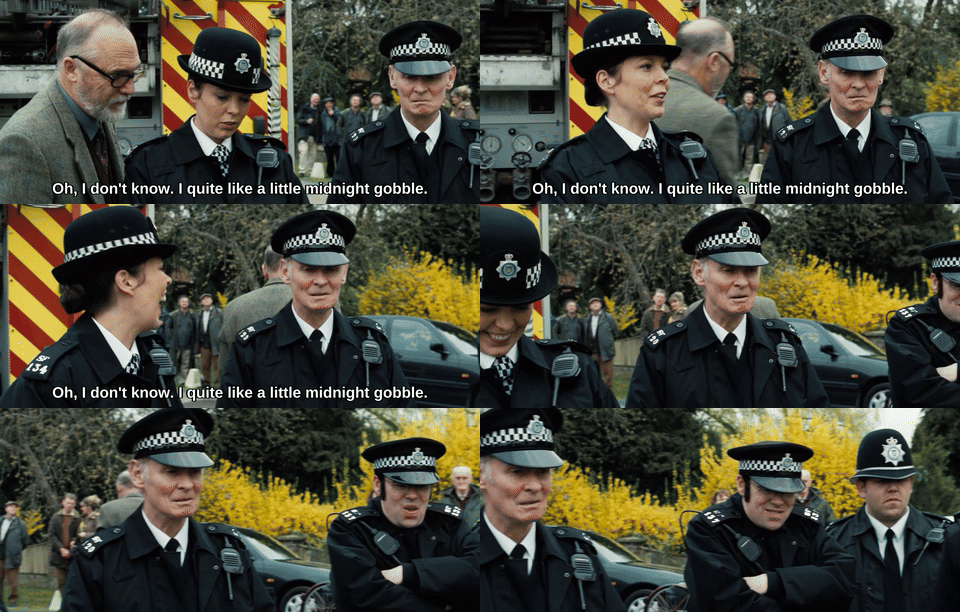
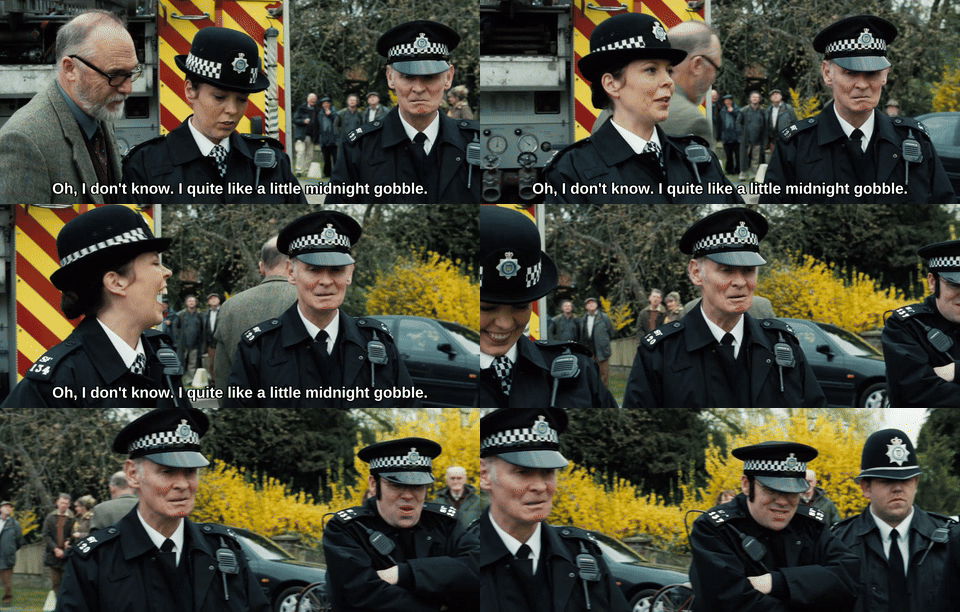
Hot Fuzz, Directed by Edgar Wright (Universal Pictures, 2007), DVD
However on a relatively static scene, the results are more than fine.
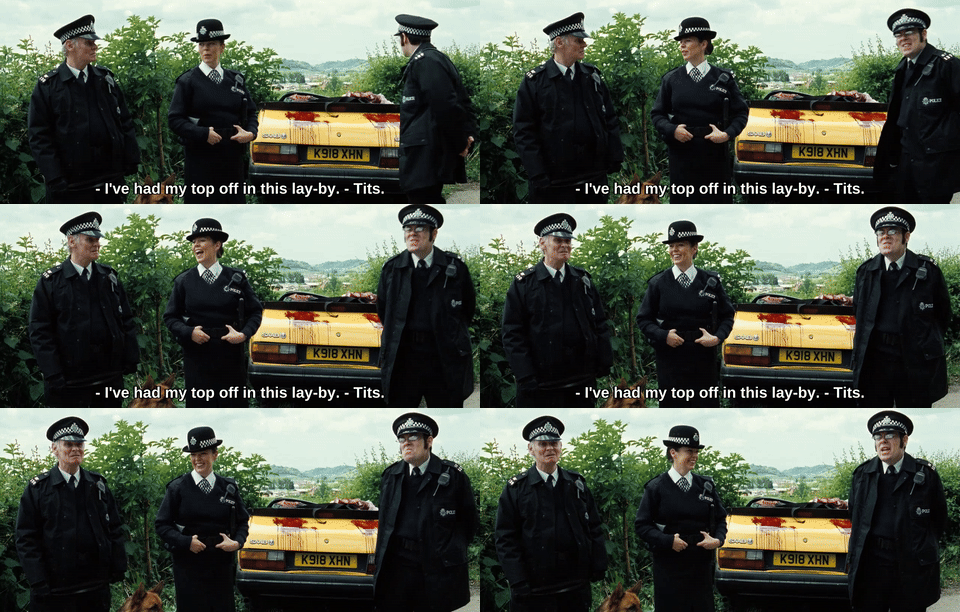
Hot Fuzz, Directed by Edgar Wright (Universal Pictures, 2007), DVD
Check out this cool tool for comparing FPS differences if that kind of thing interests you.
Quality Tweaks
The other seemingly obvious tweak was to try changing the output GIF quality. I tried for some time to use the palletegen and palleteuse options for ffmpeg without much effect, only minor file size improvements could be achieved through my experiments. Now granted, this is something I have zero experience with and was mostly just firing shots in the dark - so if anyone wants to get involved and send through some suggestions on how to tweak the quality to improve the file size I would gladly accept any input.
Summary
Overall this was an interesting experiment. I'm still not a massive fan of Python but I needed some of those libraries. The various versions, environments, etc. etc. all still seem far too complicated and easy to mess up. Specifically on the GIF extraction, there are certainly improvements that can be made but as a proof of concept and an initial prototype I am happy with the outcome.
Oh, and I still don't have that GIF I want from The Mummy because my backup doesn't have subtitles and none of the ones I found online sync up properly. Amazing.
-
I did try for a while to get this working but it’s going to be a bit more effort than I want to spend on this currently. ↩︎